Starter
£49/month
One venue, full stock-take, wastage and invoice tracking.
Count stock faster, organise products and understand the value of everything your restaurant holds — import the workbook you already use, count through a single simple screen, get it back completed.
PRICING
£49/month
One venue, full stock-take, wastage and invoice tracking.
£129/month
Reports, GP tracking and waste intelligence for a single venue.
£149/month per venue
Every venue on one account, with a live multi-venue dashboard.
FROM THE PILOT
We're gathering a full month of real usage with our first pilot venue before publishing numbers here — check back soon.
Musterline
Restaurant operations, simplified.
Count stock faster, organise products and understand the value of everything your restaurant holds.
Sign-in does not create a new legal acceptance. Account creation requires explicit acceptance above.
MUSTERLINE
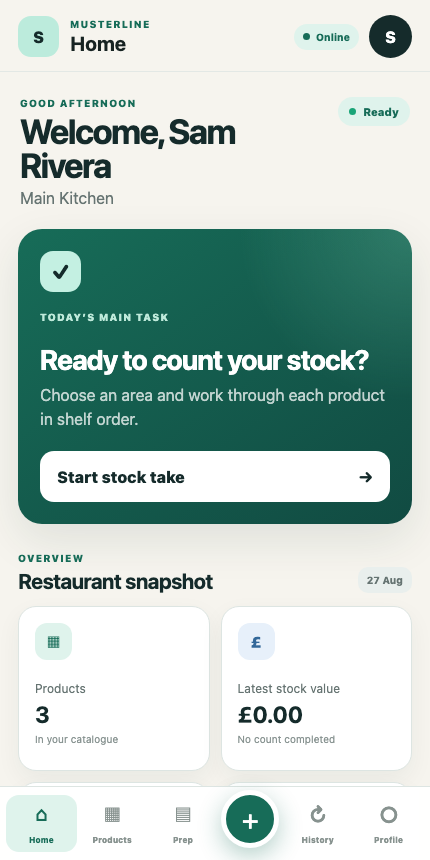
GOOD MORNING
Your venue
TODAY’S MAIN TASK
Choose an area and work through each product in shelf order.
OVERVIEW
QUICK ACTIONS
PRODUCT CATALOGUE
Search products or edit the order used during stock take.
STEP 1 OF 3
Start with one section or count the entire restaurant.
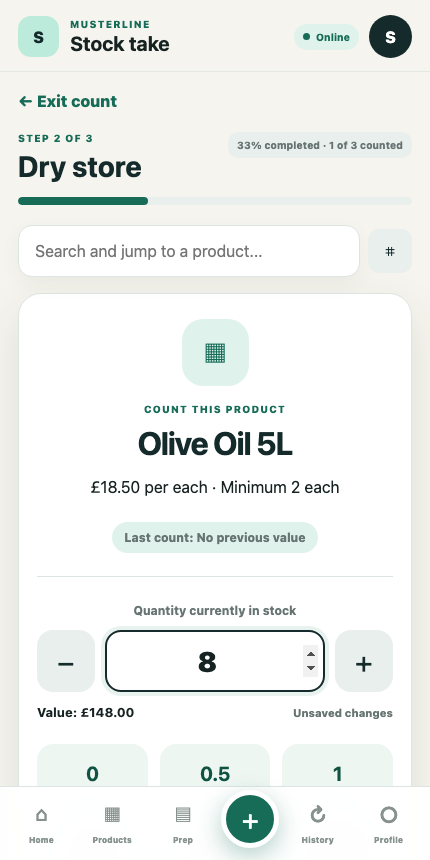
STEP 2 OF 3
COUNT THIS PRODUCT
£4.00 per kg · Minimum 8 kg
Last count: No previous value
STEP 3 OF 3
Check the quantities before saving your stock take.
MUSTERLINE CHECK
MUSTERLINE CHECK
Tap a product to jump directly to it and correct the quantity.
STOCK TAKE COMPLETE
Your stock take is ready to export.
SAVED RESULTS
Review previous totals and export the latest count for Excel.
COMBINED EXPORT
Write the latest stock take plus this month's invoices and wastage into one workbook, instead of three separate files.
SMART IMPORT
Upload and securely organise a supplier invoice. Automatic document reading is not enabled in this release.
Select the original PDF or image, then enter the invoice details for the register.
DAILY CONTROL
Record waste using the shared product catalogue.
SUPPLIER FINANCE
Track money a supplier owes back to the business.
DAILY CONTROL
Check off what's done and leave a note where it matters — resets fresh every morning.
CATALOGUE SETUP
Upload your current product catalogue with names, prices, suppliers and storage areas.
Accepted files: Excel and CSV.
Your product catalogue preview will appear here.
GETTING STARTED
A clear three-step process for every restaurant stock take.
Add the items you regularly count, including their unit, price and storage area.
Walk through the restaurant and enter the quantity of each item you see.
Check the total stock value, save the result and export it for Excel.
VENUE CONFIGURATION
Manage how Musterline works for this venue.
VENUE SETUP
Create the locations used to organise products and stock takes.
VENUE SETUP
Suppliers you add here also appear as suggestions when saving an invoice — they're added automatically too, the first time you save an invoice for a new one.
FINANCIALS
Purchases and closing stock are pulled in automatically. Enter net food sales to see GP%.
REPORTS
Stock value, purchases, wastage and GP% for this venue, in one place.
WASTE INTELLIGENCE
Last 8 weeks, this venue.
SUPPLIER SPEND
Last 8 weeks, this venue.
GROUP OVERVIEW
Stock value, GP% and open alerts across every venue in the business.
BUSINESS SETUP
Every venue in this business. Team members only see the ones they're granted access to.
ACCESS CONTROL
Owners and administrators can invite staff and assign operational roles.
ACTIVE ACCESS
PENDING
YOUR ACCOUNT
Manage your position, password and privacy choices.
user@example.com
Your venueAccount deletion is completed by a protected backend. Sole owners must confirm deletion of both their account and business workspace. This action cannot be undone.
Musterline Version 1 · Commercial Release Candidate v21
Secure account deletion, cloud history, cross-device workbook export, area-scoped shared multi-counter sessions, GP tracking, multi-venue dashboard, proactive alerts, wastage-to-workbook matching and a billing scaffold are included. Build 1.0.0-rc.33. Rebranded from StockPilot to Musterline — see CHANGELOG_V21.md.
PRIVACY
Customer pilot notice — the signed pilot agreement and DPA take priority.
Account details, job title, business and venue membership, product catalogue information, stock-take entries, activity records, imported workbook metadata and technical error information.
To provide authentication, organise restaurant stock, save and restore counts, create reports, protect accounts, troubleshoot errors and improve the service.
The restaurant business usually controls operational and staff data. Musterline acts as the service provider for that business. The signed pilot documents must identify the Musterline operator and privacy contact.
Users can request account deletion from Profile. Personal account data should be deleted unless a lawful reason requires limited retention. Restaurant audit records may be retained with the user shown as a former team member.
Depending on applicable law, users may request access, correction, deletion, restriction, objection or portability. Requests should be sent to the privacy contact stated in the signed pilot documents.
Musterline uses authenticated accounts and Firebase services. Musterline uses authenticated access, role controls and protected Firebase services. Operational monitoring, backups and incident procedures must be maintained throughout the pilot.
LEGAL
Customer pilot summary — the signed pilot agreement takes priority.
Musterline helps businesses manage product catalogues, stock counts and workbook exports. Users remain responsible for checking quantities, prices, formulas and exported reports.
Users must use their own account, keep login details secure and access only businesses and venues they are authorised to use.
Owners and authorised administrators are responsible for inviting staff, assigning permissions and removing access when staff leave.
The customer pilot is provided under the availability, support, payment, cancellation and liability terms in the signed pilot agreement.
Users must not misuse the service, attempt unauthorised access, upload unlawful material or interfere with security and availability.
BILLING
Founder-launch pricing shown per venue, billed monthly. Card billing goes live once Stripe keys are configured in the Firebase console (see DEPLOY_BILLING.md) — until then, choosing a plan shows a clear message rather than failing silently.
STARTER
Core stock taking for a single venue.
PROFESSIONAL
Daily inventory operations and team access.
GROUP
For restaurant groups running more than one site.
Group pricing applies per venue — e.g. three venues on Group is £149 × 3 = £447/month total, with multi-venue reporting unlocked automatically once a business has more than one venue.
This release does not collect card details directly — choosing a plan opens Stripe's own hosted checkout page. Customers must still receive a written order form or invoice stating the plan, price, billing interval, start date, trial terms, cancellation terms, refund position and applicable taxes before service begins.
Customers can cancel in accordance with their signed order form, or through the billing portal below once a subscription is active. Data export and deletion/return arrangements must be completed before access ends.
PRODUCTIVITY
View all imported supplier invoices.